EC2 Tutorials
latest
Start an Amazon Web Services computer:
Log into your instance with the UNIX shell
Log into your instance from a Mac or Linux machine
Log into your instance from a Windows machine
Configure your instance firewall
Running RStudio Server in the cloud
Transfer data to and from an EC2 instance using Filezilla
Creating your own Amazon Machine Image
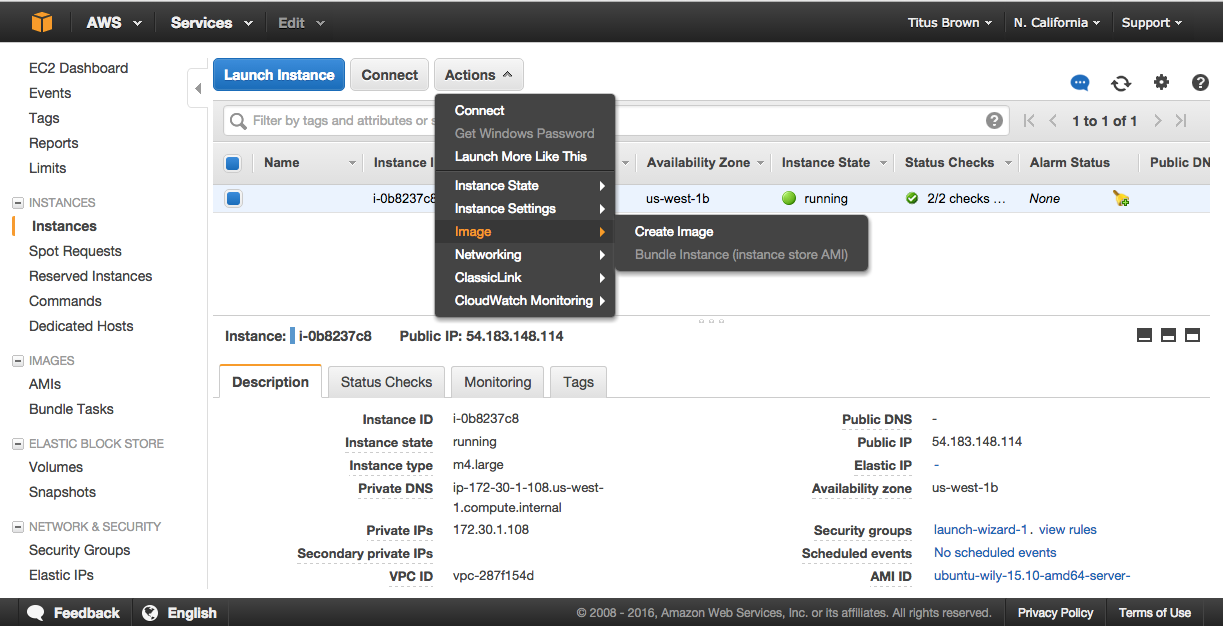
1. Actions, Create image
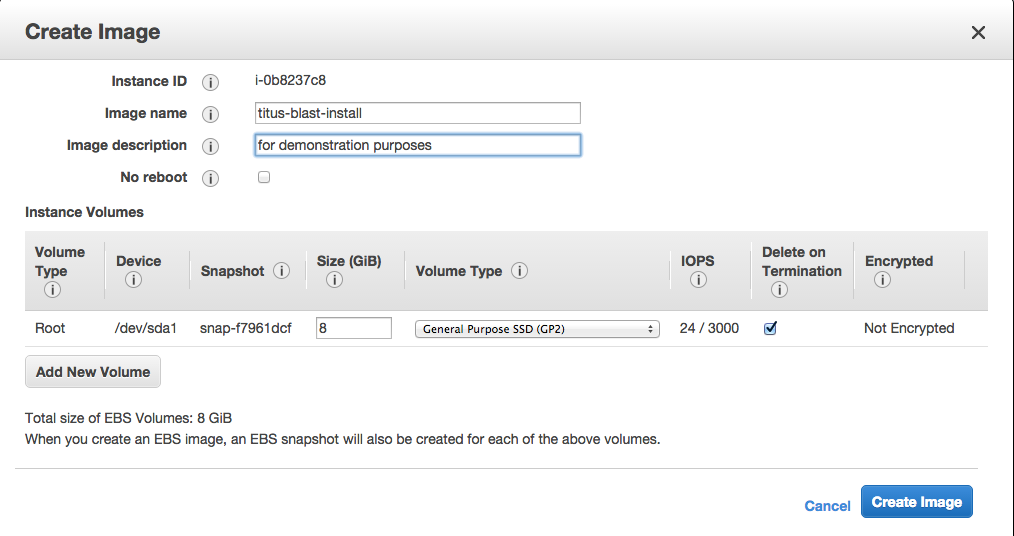
2. Fill out name and description
3. Wait for it to become available
Working with persistent storage: volumes and snapshots
Terminating your instance
Things to mention and discuss
EC2 Tutorials
Docs
»
Creating your own Amazon Machine Image
Edit on GitHub
Creating your own Amazon Machine Image

1. Actions, Create image

2. Fill out name and description

3. Wait for it to become available

Go back to the index:
EC2 Tutorials